eDesign Interior Design: What Remote Projects Get Wrong

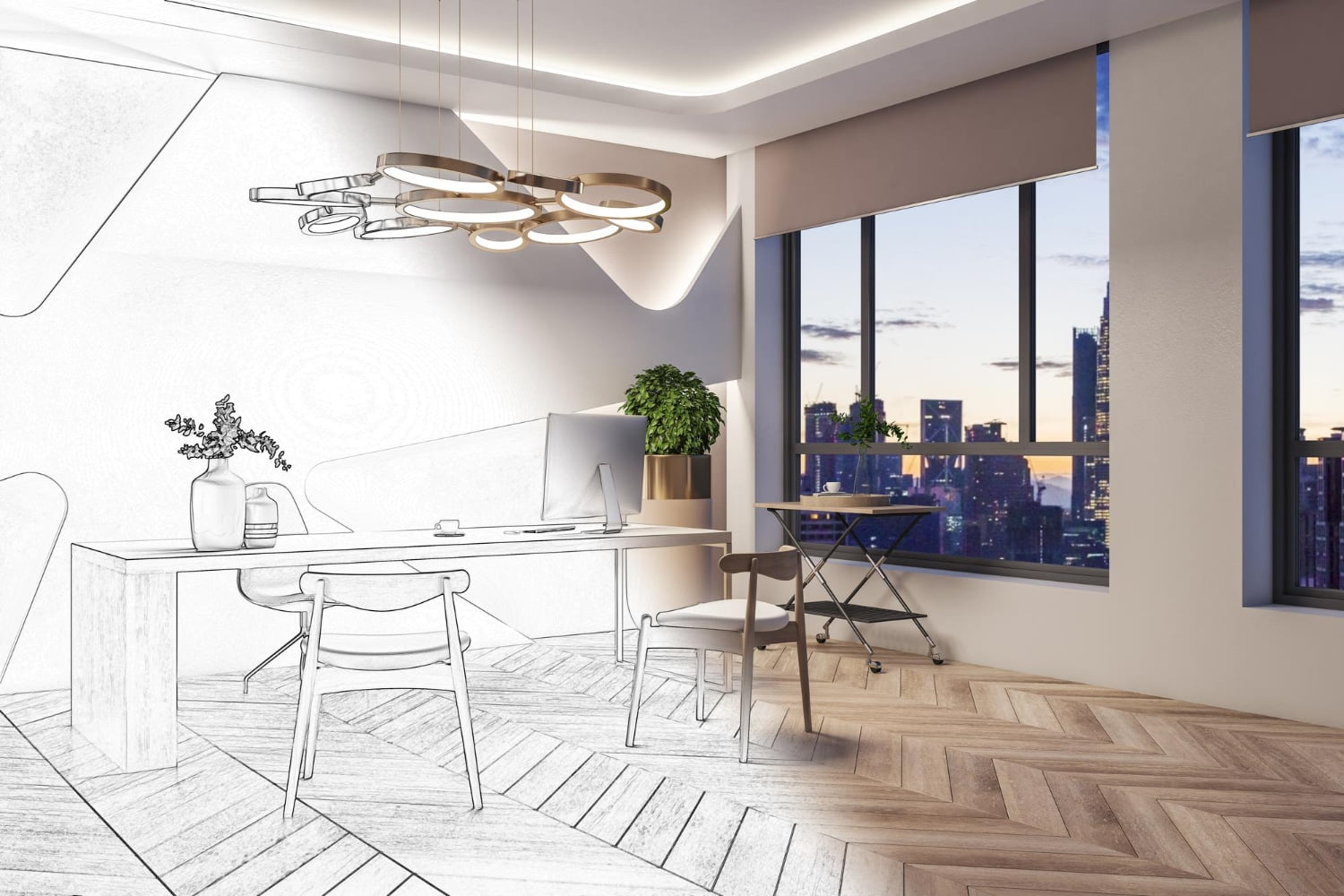
I first heard the term “edesign interior design” from a coworker in 2022, when she mentioned she’d hired an online designer for her new apartment and the whole process happened via email and a shared Google Drive folder. I was skeptical. I couldn’t imagine getting a coherent design package without someone actually standing in the room with you. Then I saw her apartment. It looked like something out of a shelter magazine, and she’d done it in two rounds of feedback with a designer she’d never met in person. Since then, I’ve watched edesign interior design grow from a niche offering into a mainstream way for regular people to get professional help with their spaces.
What makes edesign worth understanding is what it actually changes about the process. Before this model existed, working with an interior designer meant paying for in-person consultations, often with minimum project fees in the thousands. Edesign cuts most of that overhead. You fill out a detailed questionnaire about your space, your style preferences, and your budget. You share photos and room measurements. The designer puts together a board with furniture recommendations, color guidance, and a layout. You review it from wherever you are. For those of us who want real professional input without the traditional price tag, it’s a genuinely different option. If you’ve ever explored modern eclectic interior design, for example, you know how overwhelming the sourcing can be without guidance. Edesign handles that part.
Key Takeaways
- Edesign interior design combines technology with traditional design principles for a cost-effective, personalized approach.
- Connecting with experts worldwide, clients experience a diverse range of design styles and knowledge.
- Tools and software facilitate collaboration, allowing for the successful creation of customized interior spaces.
7 Powerful Fundamentals of Edesign Interior Design
Before you start any edesign project, it helps to know what you’re working with. I’ve found these seven fundamentals come up whether you’re working with a professional edesigner or handling the process yourself. The ones I skipped in my earlier decorating attempts are also the ones that caused the most problems later on.
- Understanding your needs: Begin by assessing the requirements of the space you are designing. Consider the purpose of the room, the number of people who will use it, and the various activities that will take place there.
- Establishing a budget: Before starting any edesign project, decide on a budget that suits your financial situation. This will help you set realistic expectations and avoid potential setbacks during the design process.
- Gathering inspiration: Collect ideas and inspiration for your edesign interior design project. Browse through magazines, blogs, and social media platforms to find styles and colors that resonate with you.
- Selecting a color palette: Choose a color scheme that reflects your design vision and complements the space. Consider the room’s lighting, as well as the colors of existing furniture and decor.
- Incorporating focal points: Create eye-catching focal points within the space, such as a statement piece of artwork or a unique furniture item. These can draw attention and set the tone for the entire room.
- Choosing functional and aesthetically pleasing furniture: Select furniture pieces that not only serve their intended purpose but also enhance the room’s overall design. Consider the scale, proportion, and materials when making your selections.
- Adding personal touches: Incorporate elements into your edesign interior design that reflect your personality and style. Personalized items, such as family heirlooms or travel souvenirs, can make the space feel more authentic and inviting.
That last point, the personal touches, is the one most edesign packages underestimate. In practice, the rooms that end up feeling like you actually live in them are the ones where the client came in with something specific to anchor to, not just a generic Pinterest board.
7 Powerful Key Principles of Edesign
If the fundamentals are about the setup, the key principles are about the decisions you make as you go. These are the things I forget and then regret. I keep a mental checklist of all seven whenever I’m about to commit to a significant purchase or layout change.
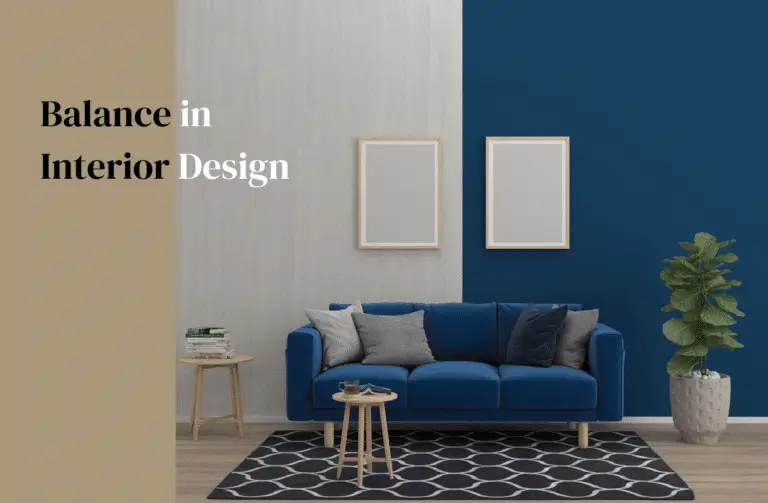
1. Balance: A room that’s off-balance announces itself without being obvious. You walk in and something feels wrong, but you can’t point to what it is. Balance doesn’t mean matching furniture on both sides of the room. It means visual weight is distributed so your eye can move through the space without getting stuck on one side. Asymmetrical balance is harder to pull off but more interesting to look at than pure symmetry.
2. Contrast: I learned this one the hard way in my second apartment, which Decorating almost entirely in warm neutrals. It looked fine in photos and flat in person. Adding one piece with a contrasting texture and color, a dark velvet pillow against a cream sofa, did more for that room than anything else Trying. Contrast doesn’t have to be dramatic to register.
3. Functionality: Beautiful rooms that are difficult to actually live in are more common than they should be. In edesign, where the designer has never physically been in your space, this is worth double-checking on your end. Before you finalize any layout, ask yourself where you actually walk, where you put things down when you come in the door, and whether the chair you love is one you’ll actually sit in.
4. Focal Point: Every room benefits from having one thing that anchors it. Not two competing for attention, and not nothing. In my living room, the focal point is a large framed print Buying at a market for $40, and the whole furniture arrangement was built around it. Your edesigner will typically ask what you want to emphasize. It’s the question worth thinking through before you start the questionnaire.
5. Rhythm and Repetition: Repetition creates the sense that a room was designed rather than accumulated. When the same color appears in the rug, a pillow, and an accessory on the shelf, the eye reads it as intentional. Edesign boards usually show you this through a color palette. Pay close attention to it instead of treating it as decorative.
6. Proportion and Scale: This is the mistake I see most often in real apartments, and it’s usually a rug that’s too small or a sofa that’s too large for the room. When working with an edesigner, getting your room measurements right matters more than almost anything else. A layout that looks good on a design board can feel cramped in person if the scale is off.
7. Lighting: Most rooms I’ve been in, including some Decorating myself, have exactly one type of lighting: overhead. Edesign done well adds layers. Ambient light for general brightness, task lighting where you actually need to see things, and accent lighting to highlight what you want people to notice. Layered lighting changes how a room feels at different times of day more than any single furniture choice.
Keeping these principles in mind while you work through an edesign process saves time and revision rounds. It’s easy to fall in love with a specific piece and then realize it breaks three of these. Better to catch that before you order.
Essential Tools and Software for Edesign Interior Design
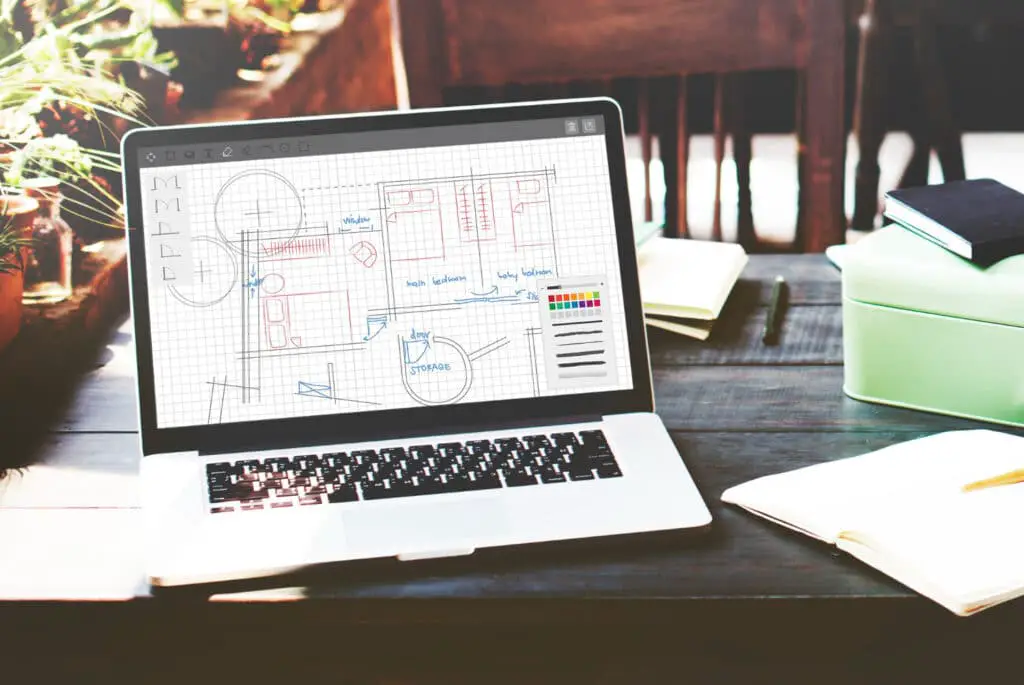
These are the tools that come up most often in edesign work, whether you’re the client trying to understand what your designer is sending you or handling your own design process without professional help. Knowing what each tool does helps you ask better questions and evaluate what you’re receiving.
- SketchUp: One of the most popular 3D modeling software options, SketchUp offers a vast range of features and an easy-to-use interface for designing and visualizing spaces. The free version is available for all levels, while the paid version comes with extended features for professionals.
- AutoCAD: A widely-used tool for architects and interior designers, AutoCAD enables you to create, edit, and share 2D and 3D designs with precision. Its extensive library of tools and customizable features make it a preferred choice for many professionals.
- Adobe Photoshop: Known primarily for photo editing, Photoshop also sees use in edesign for creating compelling visuals by manipulating and blending images, adding textures, and applying color adjustments to mock up how a room might look.
- Homestyler: This browser-based tool lets you create floor plans, add furniture and decorations, and visualize your design in 3D. It’s a good option for those who want a straightforward way to experiment with layouts without needing professional software.
- Pinterest: Not a design tool in the technical sense, but one of the most useful resources for building a visual style reference. Saving images to organized boards is the fastest way to identify patterns in what you respond to aesthetically before you can articulate it in words.
The tools your designer uses are worth asking about before you start a project. Some platforms use proprietary software that only they can edit. Others will hand over editable files. If you want to continue adapting the design yourself after the project wraps, that matters more than most people think to ask.
An Exciting Comparison: 5 Key Differences Between Edesign and Traditional Interior Design
Trying both approaches: working with a traditional interior designer on a larger renovation, and working with edesigners on single rooms. They’re genuinely different experiences. Neither is better in every situation, but understanding where they differ makes it easier to pick the right one for your project.
1. Physical Presence vs. Remote Process
With traditional interior design, your designer comes to your space, takes their own measurements, and makes decisions based on what they can see and touch. With edesign, you’re providing the measurements and photos, and the designer works from those. This means more responsibility on your end to get the inputs right, but it also means no scheduling around someone else’s in-person availability.
2. Price Differences
The price difference can be significant. A traditional interior design project with in-person consultations, sourcing, and project management can run from a few thousand dollars to much more depending on scope. Most edesign packages fall between a few hundred dollars and around $1,000 to $1,500 for a comprehensive single-room plan. The budget version of this is using a lower-tier package and handling all the sourcing yourself from the provided recommendations.
3. Ongoing Communication and Flexibility
The communication style is different in a practical way. With traditional design, updates happen in scheduled meetings. With edesign, you’re communicating asynchronously, which fits better into a normal workday. In practice, edesign requires you to be more self-directed. The designer isn’t there to catch things in real time, so you need to review the deliverables carefully and ask specific questions when something is unclear.
4. Customization and Personal Involvement
Edesign puts more of the implementation on you. Your designer creates the plan and hands it over. You go buy the pieces, arrange them, and handle any problems that come up. For some people that’s a plus. For others it’s the part that gets overwhelming. Worth knowing before you commit to the format.
5. Speed and Efficiency
A full edesign package can often come back within one to two weeks. Traditional design projects, particularly for larger spaces, can span months when you factor in sourcing lead times, contractor schedules, and multiple consultation rounds. If you’re working with a clear timeline, like a move-in date or a specific event, edesign’s faster turnaround is a real advantage.
The right choice depends on your budget, how much you want to be involved day to day, and the complexity of the project. Edesign tends to work best for single rooms or spaces where the main variables are furniture and decor rather than structural changes.
Steps to Get Started With Edesign
Finding Your Style
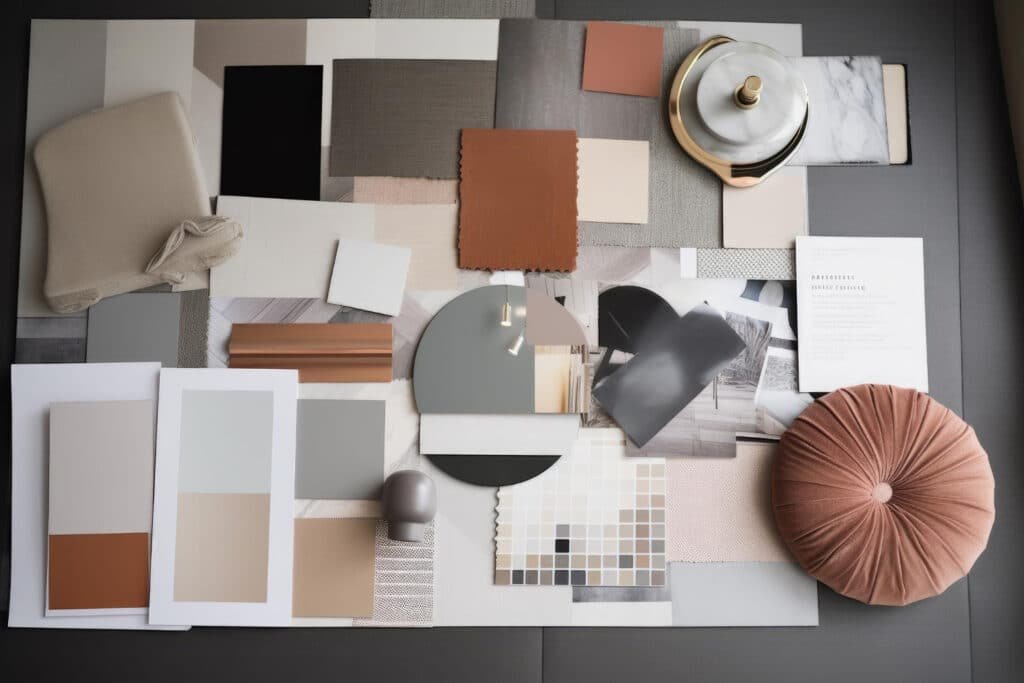
The first thing any good edesigner will ask you is what you’re going for aesthetically. If you don’t have a ready answer, start by looking at spaces you’ve saved or photographed and looking for patterns. Are they mostly warm or cool toned? Open or layered? Light or moody? You don’t need design vocabulary. Describing what you respond to is enough. I usually pull five to ten images that make me feel the same way and see what they have in common before starting any project.
Once you have some reference images to work with, a mood board is the most useful thing you can make before starting an edesign project. It doesn’t need to be professionally assembled. A shared Pinterest board, a Google Slides deck with screenshots, or a simple folder of saved photos all work. The point is giving your designer something concrete to work from rather than trying to describe your vision entirely in words.
Planning Your Space
Measure everything before you submit your intake form. Wall lengths, ceiling height, the width of doorways if you’re ordering large pieces, the distance between windows. I once skipped this step and ended up with a design board that called for a bookcase that wouldn’t fit between two windows in my living room. Getting accurate measurements in at the start prevents most revision rounds.
Also pay attention to what can’t change. Windows and doors dictate where furniture can realistically go. Electrical outlets determine where floor lamps are practical. Rental restrictions may limit what you can hang or paint. Give your edesigner a realistic picture of the constraints, not the ideal version of the space.
Selecting Your Design Elements
With a style direction and a measured floor plan in place, you move into selecting the actual design elements. Most edesign packages will include recommendations for all of the following, though the level of detail varies by service tier and price point.
- Furniture: Prioritize the main pieces of furniture, such as sofas, beds, or dining tables. Consider how they’ll fit into your plan and complement your style.
- Color scheme: Choose a color palette that reflects your taste and the desired atmosphere for your space. This can include wall colors, furnishings, and accessories.
- Textures and materials: Incorporate a mix of textures and materials to add depth and interest to your design. Consider the combination of soft furnishings, rug selections, and upholstery.
- Lighting: Assess your existing lighting situation and determine if any changes or additions should be made. Consider a mix of ambient, task, and accent lighting to create a dynamic atmosphere.
- Decorative accessories: Finally, add personality and style to your space with accessories such as artwork, throw pillows, and decorative objects.
When you get your design board back, go through it element by element against your mood board and your actual room. A solid grasp of interior design basics helps here, particularly understanding balance in interior design and how visual weight affects the overall layout. If something in the board feels off, ask before you order. Returning large furniture is more complicated than returning a throw pillow.
Top 3 Edesign Platforms: Empower Your Interior Design
Houzz
Houzz started as a home design inspiration platform and grew into a marketplace that also connects homeowners with local and online design professionals. The ideabooks feature lets you save photos to organized collections, which is one of the more useful ways to build a style reference before starting an edesign project. The platform also has a product marketplace if you want to source pieces that match what you’ve been saving. Worth browsing even if you don’t hire through the platform directly.
Decorist
Decorist is one of the cleaner edesign services for people who want a managed experience rather than a fully self-directed one. You fill out a style quiz, browse designer profiles, select one, and get a curated design concept back within a few weeks. The packages include concept boards, a shopping list with direct links, and a set number of revision rounds. Pricing starts at a few hundred dollars for a single room and goes up based on the tier of designer you select. For a single room refresh under $500, it’s worth considering.
Modsy
Modsy was a well-known edesign platform that offered 3D room renderings before shutting down in 2022. It was a pioneer in making photorealistic room visualizations accessible to regular homeowners. For comparable 3D visualization options now, Havenly and Spacejoy both offer services where you can see your proposed layout in rendered form before committing to purchases. The technology has improved since Modsy’s peak, and price points have come down as more providers have entered the market.
Powerful Benefits and Challenges of Edesign
Cost Efficiency
The cost savings in edesign are real, but they’re worth contextualizing. You’re not paying for the designer’s travel, hourly in-person time, or ongoing project management. What you are paying for is their design judgment, sourcing knowledge, and the time spent putting together your specific plan. For a single room, you can often get a quality edesign package for well under $500. For smaller spaces, like a condo interior design project, the savings compared to a traditional designer can be significant enough that edesign is the only realistic option at budget.
Flexibility
One thing I’ve genuinely appreciated about edesign is the pace. You review the design board when you have time, ask questions when you think of them, and implement at whatever speed your budget allows. There’s no appointment to cancel if something comes up. The trade-off is that you’re more on your own during implementation. If you’re comfortable making judgment calls when something on the board is out of stock, edesign works well. If you’d rather have someone managing those decisions for you, a higher-involvement service may make more sense.
Communication Barriers
The thing that goes wrong most often in edesign is the intake phase. If you’re vague about what you like, you’ll get back something that’s technically competent but doesn’t feel like you. The way to avoid this is to be specific. Don’t say “I want something cozy.” Say “I want warm wood tones, no metal hardware, softer lighting, and nothing that looks too formal.” The more concrete you are upfront, the fewer revision rounds you’ll use.
Limitation of Virtual Imaging
Renderings are a useful tool, but they have real limits. Colors in particular can look significantly different in a rendered image than they will in your actual room with your specific lighting. I’ve found it helpful to order paint swatches and fabric samples for any major commitment before finalizing. The rendering shows you the composition. It doesn’t show you exactly how a particular green reads on a cloudy Tuesday afternoon in your north-facing room.
Frequently Asked Questions
What is eDesign?
Edesign interior design is an online design service where clients work remotely with a professional designer to create a customized design plan for their space. The process happens entirely through digital communication, including questionnaires, photo sharing, and design board delivery.
How does eDesign work?
You start by filling out a detailed questionnaire about your space, style preferences, and budget, then share photos and measurements of your room. The designer creates a design board with furniture recommendations, a floor plan, and color guidance. Most services include one or two revision rounds before delivering a final plan.
What are the benefits of eDesign?
The main benefits are cost and access. Edesign is significantly more affordable than traditional in-person design services and lets you work with designers you wouldn’t otherwise have access to geographically. The flexibility to review and implement at your own pace is also a meaningful advantage for most people.
If you liked this post about edesign interior design, don’t forget to follow us on Pinterest so you don’t miss any more interior design news!