Cozy Desk Ideas: Turn Your Workspace into a Comfort Haven

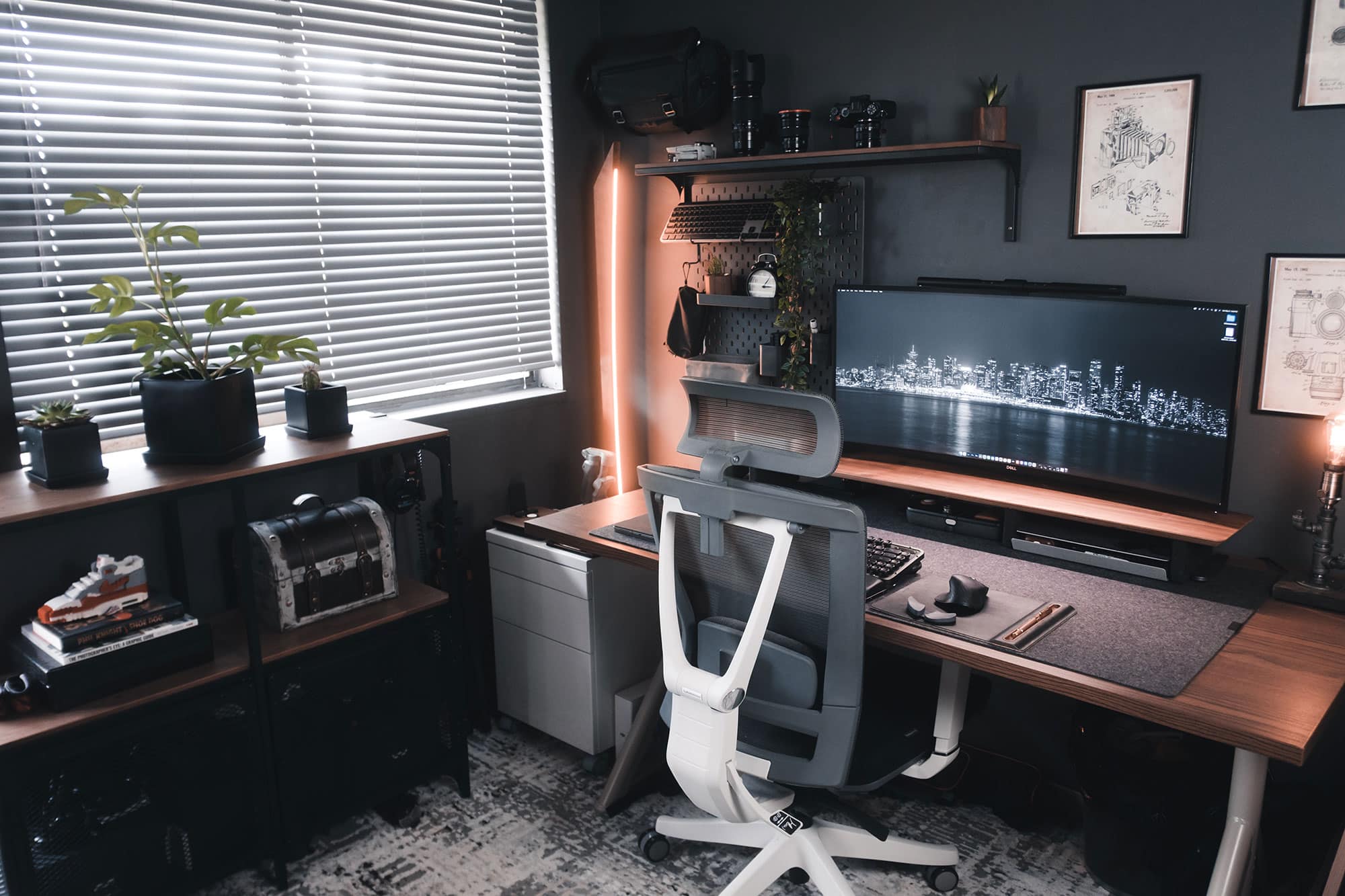
A desk that works isn’t just about storage or how good it looks in photos. In practice, These cozy desk ideas are organized by the decisions that matter most, from your desk choice and storage to lighting, accessories, and how you layer personal touches without losing function.
The word “cozy” gets applied to workspaces in a way that often means “aesthetically soft” more than “genuinely comfortable.” What I mean by cozy here is something more specific: a space you actually want to sit at for hours, that has good light, manageable surfaces, and a few things in it that are yours. That combination is more intentional than it looks, and I’ve included a few of my go-to approaches throughout. If you’re also thinking about how to make adjacent spaces feel more settled, the principles behind making a guest room cozy apply in surprisingly similar ways.
Key Takeaways
- The desk itself is the least important decision you’ll make. Lighting, surface management, and seating have more impact on daily comfort than the desk shape.
- Avoid layering in all your personality at once. A few deliberate pieces read better than a full curated shelf.
- Work backward from your real workflow: what’s on your desk every day, and what can live elsewhere? That answer drives most of the better decisions.
Selecting the Perfect Cozy Desk
Small Space Solutions
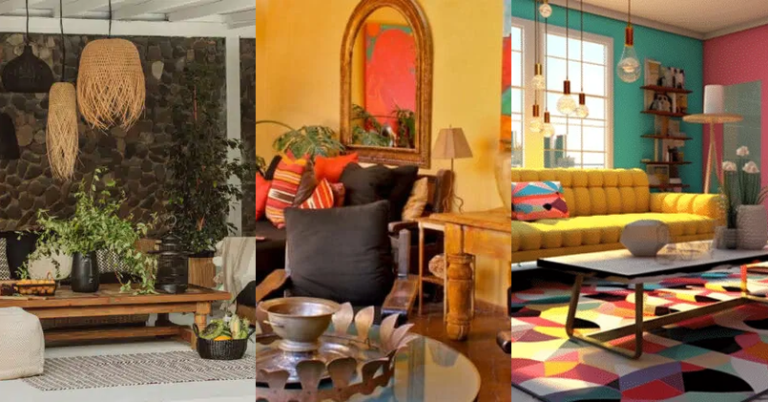
A few related Pinterest references in the same visual family as the section above.
Small desks fail not because they’re too small, but because the surface gets overwhelmed immediately. I’ve seen wall-mounted setups in apartments under 600 square feet work well when the wall space above the desk was treated seriously: a shelf for reference items, a task lamp that didn’t eat the surface, and a hard rule about what stays out. The key principle here is that a compact desk needs more discipline around what stays on it than a larger one does. A floating shelf at eye level buys you back more usable desk space than upgrading to a bigger desk.
Home Office Desks
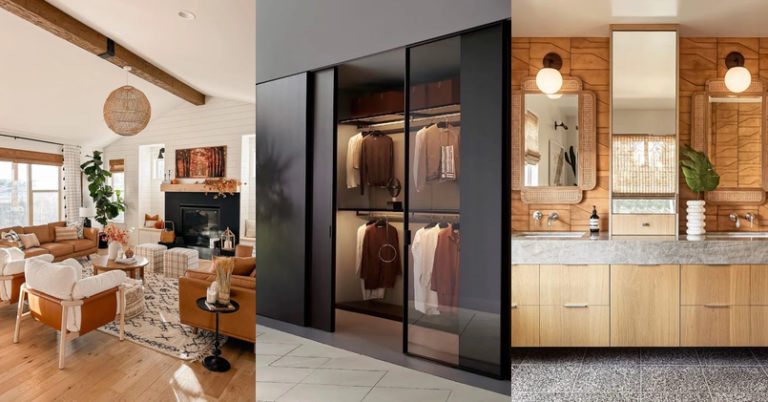
Related home-office setups that keep personal items sparse and the desk zone clear.
I spent three years working from a desk that was two inches too high for my chair setup, and by mid-afternoon my shoulders would be up around my ears without me noticing. The standard ergonomic guidance puts desk height at 28 to 30 inches from the floor, but the real test is whether your forearms rest parallel to the surface without your shoulders rising to compensate. That check takes about ten seconds. For dedicated home office use, I’d prioritize a desk with some integrated cable routing over nearly any aesthetic feature, because the first time you pull all your equipment forward to untangle wires, you’ll understand why it matters.
Gaming Desks
Gaming setups have pushed desk design in useful directions, particularly around cable management and surface area. Those lessons apply well beyond gaming. If you’re building a creative or technical workstation, the thinking behind a gaming desk, which is long surfaces, deliberate cable runs, and peripheral placement you’ve thought through, transfers directly. Here’s what matters most:
- Surface: Think in zones, not just total area. A monitor zone, a keyboard zone, and a clear active work zone are more useful than one large undifferentiated surface.
- Ergonomics: Long sessions make posture problems visible fast. The chair matters more than the desk for this, but desk height and monitor distance are the two variables you can control quickly.
- Cable management: Visible cables aren’t just an aesthetic problem. They’re a physical obstacle that changes how you move at your desk. A desk with a cable tray or pass-through justifies the small premium.
The desk type is worth getting right once, then leaving alone. Most of the ongoing adjustments that make a workspace feel settled happen in the layers above it.
Optimizing Storage Solutions
Drawers and Shelves
The practical distinction between drawers and shelves is access frequency. Drawers are for things you use daily or weekly that don’t need to be visible: pens, chargers, a notepad, a few reference pages. Shelves are for things that either need to be reachable quickly or have some visual function. Mixing both at the same level usually creates confusion about what belongs where, and that confusion is what leads to the desk surface becoming a catch-all.
When I’m planning a home office, I usually suggest one rule for the desk surface itself: nothing on it that doesn’t get used at least once a week. Everything else earns a shelf or a drawer. The result isn’t a sterile-looking setup; it’s one where the things that are out are actually part of how you work. A combination of closed drawers and one or two open shelves for frequently referenced material gives you both the access and the visual breathing room at the same time.
Innovative Storage Ideas
Vertical storage gets underused in home offices because people default to thinking horizontally first. A floor-to-ceiling pegboard or a grid panel behind the desk does a lot of work in a small footprint: tools, small bins, a headphone hook, a calendar. The key is that everything on it has a fixed spot, otherwise it becomes visual noise faster than a cluttered desk.
A dedicated bulletin or memo board sounds old-fashioned until you’re trying to keep track of three ongoing projects and a handful of physical notes. The value isn’t nostalgia: it’s that a physical board catches the kind of short-lived reference material, a number you’re using this week, a deadline, a measurement, that would otherwise scatter across sticky notes and random papers. One good-sized board over the desk, or off to the side at eye level, handles this more cleanly than most digital equivalents.
Modular storage gives you the ability to reconfigure as your work pattern shifts, which pays off more in a home office than it does in most rooms. In practice, A shelf system that can be adjusted or added to is a better long-term investment than a fixed built-in you’d need to work around later.
Lighting and Seating
Lighting Solutions
A few related Pinterest references in the same visual family as the section above.
Lighting in a home office is one of the areas where I’ve seen the biggest gap between what people plan for and what they actually need. Natural light is valuable, but it changes across the day and can create glare directly on monitors in ways that no amount of ambient warmth makes up for. The principle I return to is layered light: one source for general illumination, one adjustable task lamp aimed at your work surface, and something lower and warmer for the hours when you’re winding down but still at your desk. If you’re working in a room without natural light, the windowless office guide on this site covers that specific problem in more depth.
The color temperature of your bulbs matters more than most people account for. Daylight bulbs around 5000 to 6500K are useful for fine work and color-accurate tasks. Warm white around 2700 to 3000K is better for sustained reading and the kind of diffuse focus that long writing or planning sessions need. I keep a warm-toned lamp on a side table near my desk specifically for the late afternoon hours when cool overhead light starts to feel harsh. It’s a small thing, but it noticeably changes how long I can work comfortably.
Chair Selection
The chair is the one home office investment where I’ve never seen someone regret spending more. A proper ergonomic chair with lumbar support and adjustable armrests doesn’t just prevent back pain; it removes a low-level physical distraction that accumulates over months of daily work. The test I give clients is simple: sit in the chair at your normal working posture for 20 minutes and check whether anything is bracing or compensating. Your lower back should feel neutral, not supported in a way that means it’s working to stay upright.
On the aesthetic side, office chairs have improved considerably in the past decade. You can find models with upholstered backs, wood armrests, and proportions that read as furniture rather than equipment. If you’re working in a living room or studio where the desk setup needs to function within a larger design scheme, that matters. Mid-century influenced chairs with slim profiles and fabric seats tend to work well in mixed-use spaces without announcing themselves as office chairs.
If your home office has enough space for a secondary seating area, even a single armchair positioned away from the desk, that separation pays off. Different cognitive modes benefit from different physical positions. I do most of my reading and planning in a low chair with a clipboard, not at my desk. The desk is where I build and execute; the chair is where I think. That division has never felt like a luxury, just a habit I’d be reluctant to give up.
Design and Style
Plants and Decor
A few related Pinterest references in the same visual family as the section above.
Plants are one of the more reliable ways to change how a workspace feels without changing how it functions. I’m not going to overstate the air quality argument, which is frequently overstated, but the presence of something living and growing in a room where everything else is static does have a measurable effect on how the space reads. For a home office, the question is always maintenance. A pothos on a shelf or a ZZ plant on the floor requires almost nothing and looks deliberate even when you’ve ignored it for a month. If you want to think more systematically about plants as part of an interior scheme, the interior plant design guide here is a good reference point.
Decorative objects in a workspace work differently than in other rooms. A living room can absorb a lot of layering before it feels cluttered; a desk area turns chaotic at a much lower threshold. The approach I use is three-object editing: pick three non-functional things that will be visible from your normal working position and commit to just those. A framed photo, a small object with some personal meaning, a single plant. Everything else gets a drawer or a shelf where it’s present but not competing for your attention while you work.
Patterns and Personality
Patterns in a workspace are most effective when they’re at the perimeter, not at the center. A rug with some geometric structure, curtains with a subtle repeat, upholstery with texture: these add visual interest in a zone your eye registers but doesn’t dwell on. A heavily patterned desk mat or loud wallpaper directly behind your monitor competes with the screen in a way that becomes tiring faster than you’d expect.
Furniture choices in a home office benefit from the same logic as good wardrobe building: neutral foundation pieces that can hold a variety of accessories, with one or two items that have real character. A simple desk in a natural wood tone or matte white doesn’t limit your options. A bold chair or an interesting lamp does the expressive work without locking you into a full aesthetic commitment that you’d need to undo later if your preferences shift.
The spaces that last over years are the ones where the design logic was subordinate to the working logic. You don’t notice a well-designed home office the way you notice a styled one. It just feels like a place where things work, and where you don’t mind being. That’s the standard to build toward.
Tech and Accessories
Tech Setup
Tech decisions in a home office are highly personal and change faster than any other category here. What doesn’t change is the underlying principle: the setup should support your actual workflow, not perform competence at it. A large monitor improves productivity for almost everyone who does document or browser-based work. A second monitor improves it further if you regularly need to reference material while editing. Beyond that, the marginal gains from more equipment are usually smaller than the gains from better organization.
Monitor height gets neglected more often than monitor size. The center of the screen should sit at or slightly below your natural eye line when you’re seated in your working posture. Most monitor stands don’t position the screen high enough for taller chairs. A monitor arm that lets you adjust height, tilt, and depth is one of the more practical desk accessories for anyone who works more than four hours a day.
Keyboards and pointing devices deserve some attention, particularly if you type heavily. A mechanical keyboard with a medium actuation force is more forgiving on fingers than a flat membrane keyboard over a full working day. For pointing, a vertical mouse takes about a week to get used to and then becomes very hard to give up. Neither is essential; both remove a category of physical friction that accumulates quietly over months.
The accessories that tend to earn their place on a desk are the ones that reduce friction in common tasks:
- A monitor arm: removes the fixed base footprint, opens up surface area, and lets you position the screen correctly for your height.
- A USB hub: consolidates cabling to one managed point rather than individual cables running across the desk.
- A quality task lamp: adjustable in both height and color temperature, so lighting can shift between focused work and relaxed reading sessions.
Workspace Accessories
The accessories worth keeping on or near the desk are the ones that actually change how you work. Everything else should live in a drawer until it’s actually needed. Here’s the short list of what earns permanent desk space in most setups I’ve planned:
- Desk choice: A desk that fits the footprint of your actual work, with a drawer or integrated storage for the materials you reach for most. Measure your real working spread before you buy.
- Chair selection: The chair you can sit in for three hours without adjusting your position. This matters more than any other single piece of furniture in the room.
- Lighting: A task lamp with adjustable color temperature. The same desk feels very different under 6500K daylight and 2700K warm white, and both have their place depending on what you’re working on.
- Office supplies: One or two storage containers, not twelve. A tray for incoming items, a cup for the pens you actually use. The more containers you add, the harder it becomes to maintain the system.
- Personal touches: Two or three objects with personal meaning. A framed photo, a small piece of art, something you picked up somewhere that you’d miss if it weren’t there. The distinction from clutter is that these were chosen deliberately.
The goal isn’t a workspace that looks finished in photos. It’s one that quietly handles the practical requirements so well that you stop thinking about the setup and start thinking about the work.
Inspiration and Social Media
Finding Inspiration Online
Online reference gathering for a workspace works best when you treat it as a filtering exercise rather than an aspirational one. Pinterest and Instagram show you the edited, well-lit version of spaces that were often staged specifically for the photo. What I look for in reference images isn’t the overall style but specific solutions: how someone handled cable routing behind a wall-mounted monitor, what a particular lamp looks like at desk level rather than from across the room, how a floating shelf was spaced relative to the desk below it.
The more useful approach on visual platforms is to save references around specific decisions rather than complete room shots. A board focused on “desk chairs in narrow rooms” is more actionable than a board called “dream office.” When you’re comparing five options for something you’re about to buy, having those images organized by category means you’re making a direct comparison rather than assembling a mood. It’s a small habit shift, but it speeds up decisions considerably.
Sponsored content and affiliate-linked recommendations are common in the home office space, and they don’t always surface which products are being recommended because they’re well-made versus because the margin is high. I filter for posts and accounts that discuss tradeoffs rather than just recommendations. If someone tells you a chair is perfect without mentioning that it took three weeks to stop being uncomfortable, the recommendation isn’t as useful as it appears.
Showcasing Your Cozy Desk
A few related Pinterest references in the same visual family as the section above.
Sharing your desk setup online has become a genre of its own, and it pays off even if just for the feedback. The act of photographing a space surfaces problems you’ve stopped seeing: a cable you’ve been stepping over for months, a surface that’s become a default landing spot for random items. Framing the shot forces you to look at the space the way someone new to it would.
For photos that read well, the two things that matter most are natural side light rather than overhead, and a cleared but not sterile surface. You want the space to look used, not staged. One thing out of place is fine; five things out of place reads as disorganized. Shooting at a slight angle rather than straight-on gives the image more depth without requiring a wide-angle lens.
The more practical benefit of documenting your workspace over time is that you get a record of what you’ve tried and what you’ve moved past. I have photos of my own desk going back several years, and the progression is a useful reminder of which changes actually held and which were temporary fixes that eventually got replaced.
Brands and Budget
Popular Brands
IKEA’s desk range earns its position as a default recommendation because the core products, the Linnmon tops in particular, perform reliably at what they do: a stable, flat surface at a predictable height and a price that leaves budget for better chairs, better lighting, and better storage. The Alex drawer units pair with almost any top and solve the under-desk storage problem without requiring a separate filing cabinet. For a practical home office that isn’t making a strong design statement, the IKEA system is hard to argue against.
For L-shaped or corner configurations, brands like Flexispot and Uplift offer sit-stand options with solid build quality at a reasonable price relative to full commercial-grade adjustable desks. If you’re spending eight or more hours a day at a desk, a sit-stand option merits the investment. The posture benefit is real, but the more consistent benefit most users report is simply the ability to shift position across the day without stopping work.
Budget-Friendly Options
Building a good home office on a limited budget is quite possible if you prioritize in the right order. For a full breakdown of what to spend on and what to skip when working with a tight budget, the small office interior design guide here covers this in more detail. The short version: spend on the chair, the task lamp, and the monitor. Everything else can be sourced secondhand or from budget retailers without meaningful quality loss.
Specific strategies that work in practice:
- Facebook Marketplace and secondhand office furniture dealers move a lot of commercial-grade equipment that’s better built than most new consumer furniture at a fraction of the cost.
- The most visible spend, the desk itself, can often be the least expensive item. A secondhand solid wood door on filing cabinet legs is a legitimate approach that a few designers I know still use.
- Prioritize adjustability over style in the early stages. A chair that adjusts correctly matters more than a chair that looks right.
The aesthetic elements, paint color, a rug, small decorative pieces, are typically the cheapest part of a workspace and have a disproportionate effect on how the room feels. Getting the functional foundation right first means those finishing decisions are much easier to add later without having to undo anything structural.
Conclusion
A desk setup you return to every day without resistance is a small but consistent quality-of-life improvement. It doesn’t require spending a lot or building something visually perfect. The spaces Designing that clients report being happiest with aren’t the ones with the most resolved aesthetics; they’re the ones where the practical decisions were thought through carefully enough that the day-to-day experience is frictionless.
The things that stay constant over years are usually simple: a light source at the right height and temperature, a chair that fits you, enough organized storage that your surface stays usable, and a few objects that make the space feel like yours. None of those require significant investment. Most require just decisions you haven’t gotten around to making yet.
The personal elements matter more than many design-minded people want to admit. A framed photo from a trip that changed how you think about something, a small object from a market in a city you spent time in: these create a low-level sense of recognition every time you sit down. I’m not arguing for sentiment over design, but for the combination. A workspace without any personal anchors feels temporary even after years of use.
Start with one area, whether that’s the lighting, the chair, or just clearing the surface and being disciplined about what earns its way back. Most good home office setups happened gradually, through a series of small decisions made over time. The goal isn’t a finished room. It’s a room that keeps getting a little more useful.
Frequently Asked Questions
How can I make my desk more comfortable?
Start with the chair: lumbar support and armrest height matter more than cushioning alone. Then address desk height relative to your seated elbow position. A monitor at eye level and a keyboard at elbow height resolve most of the common sources of physical discomfort over a long working day.
What are some cozy desk accessories?
A good task lamp you can adjust in direction and color temperature, one or two small plants that don’t need much attention, and a tray or organizer that keeps your active materials in one place. That combination changes how the space feels without adding visual complexity.
How do I organize a small desk?
Apply a strict rule about what stays on the surface: only items used daily. Everything used weekly or less earns a drawer or shelf. Vertical pegboard or a grid panel above the desk handles the categories that need to be accessible but don’t need to occupy the surface itself.
If you liked this post about cozy desk ideas, don’t forget to follow us on Pinterest so you don’t miss any more interior design news!